


Brightspace Pulse
4.82.91K Reviews
App Specs
- Version
- 2.2607.0.1003828
- Updated On
- License
- Free
- Downloads
- 1,000,000+
- Developer
- D2L Corporation
- Categories
- Education
- Platform
- Android, iOS
Screenshots
 Analysis by AppCompare
Ever find yourself drowning in a sea of assignments, deadlines, and classroom chaos? I’ve been there, and let me tell you, it’s not pretty. Enter Brightspace Pulse, your new best friend in the academic world. This app is like having a personal assistant in your pocket, helping you keep track of all things school-related. Let's dive into what makes this app a must-have for every student.
First Impressions
Right from the get-go, Brightspace Pulse looks sleek and user-friendly. Navigating through the app is a breeze, with a clean interface that doesn’t overwhelm. It's available on both Android and iOS, which means you can keep your academic life in order no matter what device you’re using. I was immediately drawn to the minimalistic design, which is easy on the eyes and doesn’t distract from the task at hand.
Getting Started
Setting up the app is as simple as pie. After downloading, you just need to log in with your school credentials. The app syncs with your courses and brings in all the vital information you need. Within minutes, I had my course schedule, upcoming assignments, and important announcements right at my fingertips. Talk about convenience!
Main Features
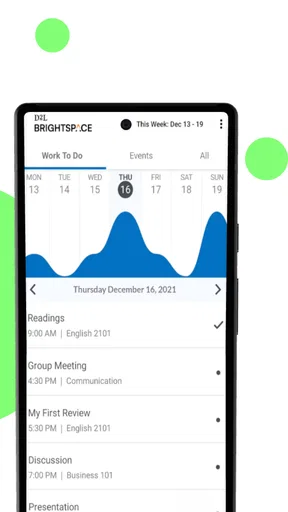
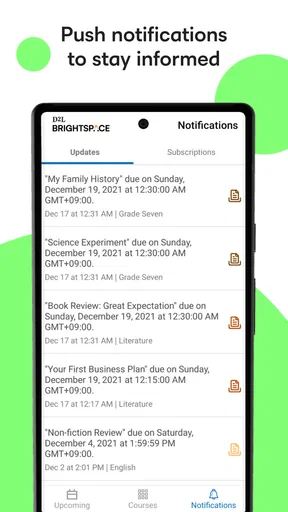
One of the standout features of Brightspace Pulse is its calendar view. It lays out your entire semester in a way that’s easy to digest. You can view your schedule by day, week, or month, making it super flexible depending on how you like to plan. The app also sends you notifications for upcoming deadlines, so you’re never caught off guard. I found this especially useful for juggling multiple assignments at once.
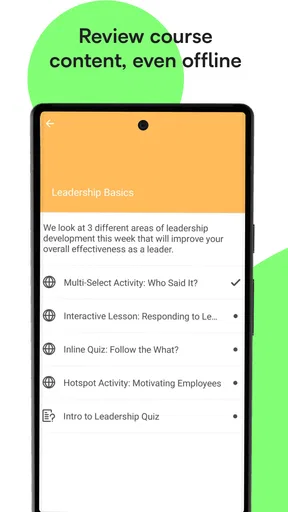
Another cool feature is the content viewer. You can access course materials directly from the app. Whether it’s lecture slides, notes, or any other resources your professor uploads, everything is just a tap away. This feature has saved me more times than I can count when I needed to review something on the go.
Staying Connected
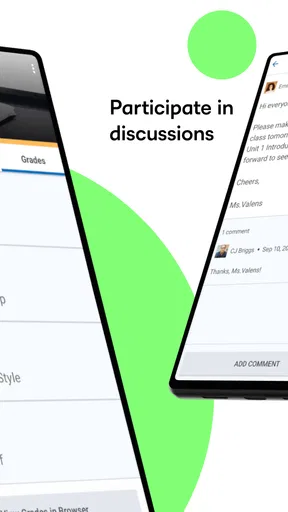
Communication is key, right? With Brightspace Pulse, staying in touch with your professors and classmates is a breeze. The app includes a messaging feature that allows you to send and receive messages seamlessly. It’s a lifesaver when you need clarification on an assignment or want to coordinate with group project members.
Plus, the app keeps you updated with any changes to your courses. If a class is canceled or a deadline is extended, you’ll be the first to know. It’s like having a direct line to your academic life, ensuring you’re always in the loop.
Worth Reading Before You Choose

EA SPORTS FC Mobile 26 Is a Bigger Football Game, but It Takes Time

Flipboard Shows What News Apps Must Do Beyond the Feed

Switching to Android Auto Means Rethinking Your Driving Routine

Google Calendar Makes a Crowded Week Easier to Manage

Ludo King Makes the Most of the Minutes Between Plans

Baby Panda World Brings Quick Play to Modern Phones, but Its Game Library Feels Busy
Performance Tracking
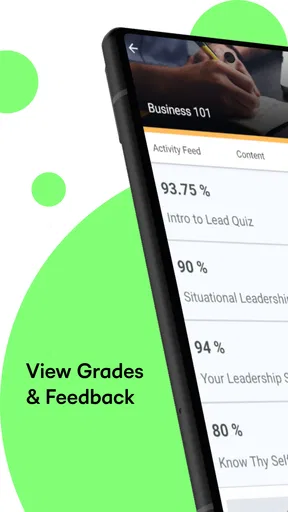
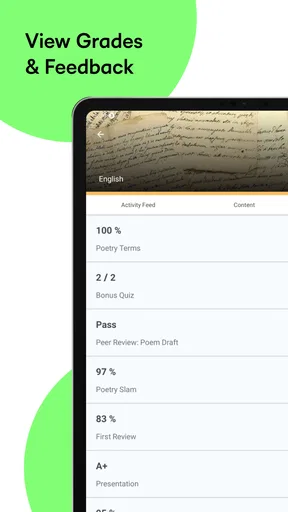
Keeping track of your grades has never been easier. The app provides a comprehensive overview of your performance in each course. You can see your grades as soon as they’re posted, and track your progress throughout the semester. It’s a great way to stay motivated and focused on your academic goals.
There’s also a feature that allows you to set goals and customize your notifications accordingly. This personalization aspect means you can tailor the app to fit your specific needs and study habits. It’s like having a personalized study buddy cheering you on.
Final Thoughts
So, what’s the verdict? Brightspace Pulse is a powerhouse of an app that should be on every student’s phone. It keeps your academic life organized, helps you manage your time effectively, and ensures you never miss a beat. The integration with your school’s learning management system makes it a seamless addition to your study routine. Whether you’re a freshman just starting out or a seasoned senior, this app is a game-changer.
If you’re ready to take control of your academic world and stay on top of your game, give Brightspace Pulse a try. You can find it on both Android and iOS platforms – download it today and let the organization begin!
Pros
- Intuitive interface enhances user navigation.
- Real-time updates for assignments and grades.
- Customizable notifications to stay informed.
- Seamlessly integrates with Brightspace platform.
- Offline access to course materials available.
Cons
- Limited editing features for course content.
- Occasional syncing issues with the server.
- Requires frequent updates for bug fixes.
- Sometimes slow loading on older devices.
- Limited support for non-standard file types.
FAQs for Brightspace Pulse
What is Brightspace Pulse used for?
Brightspace Pulse is an educational app designed to help students stay organized and on top of their coursework. It provides a central hub where users can access course calendars, deadlines, and announcements. The app aims to enhance student engagement and improve time management by providing timely reminders and updates.
Is Brightspace Pulse compatible with both Android and iOS devices?
Yes, Brightspace Pulse is available for both Android and iOS platforms. You can download it from the Google Play Store for Android devices and the Apple App Store for iOS devices. The app is optimized to ensure a seamless experience across different operating systems, facilitating easy access to course materials.
How does Brightspace Pulse help with time management?
Brightspace Pulse improves time management by providing students with a visual timeline of their upcoming assignments and activities. It sends push notifications about important deadlines and allows users to customize their calendar view. This functionality helps students prioritize tasks and manage their schedules more effectively.
Can I access course materials offline using Brightspace Pulse?
While Brightspace Pulse primarily requires an internet connection to sync data and access the latest updates, some features may be available offline. Users can review previously synced content when offline, ensuring that critical information is accessible even without a connection. However, features like updates and notifications require internet access.
Is Brightspace Pulse free to use, or are there any in-app purchases?
Brightspace Pulse itself is free to download and use. However, it is important to note that its functionality is contingent on the institution's Brightspace Learning Management System subscription. There are no in-app purchases within Brightspace Pulse, but access to content depends on the institution's licensing.


